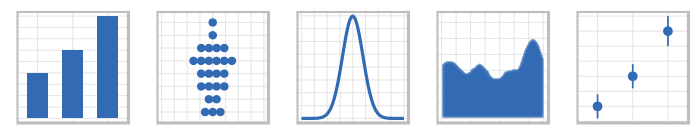
Learn the fundamentals of data visualisation with the popular ggplot2 R package.
This two-morning course focuses on exploratory data visualisation and covers a wide range of plot types.
Participants build and customise publication-quality graphics by applying the Grammar of Graphics, a succinct way of describing the individual parts of a plot.
Leverage the flexibility and repeatability of ggplot2 for your data visualisation needs!
Agenda
Morning 1
The Grammar of Graphics
Understanding ggplot2 syntax
Histograms, lines, points and bars
Visualising error and uncertainty
Morning 2
Tips for customising ggplot2 graphics
Dividing plots into subplots (faceting)
Handling common error messages
Intro to interactive graphics with plotly
Data visualisation project
Requirements
A laptop with R and RStudio (installation instructions provided)
Practical R - Introduction to R or
Basic familiarity with R and RStudio
Practical R - Introduction to R
What Will I Learn?
Make R work for you
Leverage RStudio for analysis
Query dataframes (bend them to your will)
Make sense of error messages
Visualise multiple data types
Target Audience
All aspiring R users
Description
Are you looking to dig into datasets with R, calculate a summary statistic or produce high-quality plots, but don't know where to start?
In this two-morning introductory workshop, Jon McCallum guides you through the basics of R and RStudio.
You'll walk away with knowledge of the R interface, strategies to avoid common pit-falls and a set of practical code snippets for later reference.
By reinforcing key concepts and engaging with practical examples, the workshop gets you familiar with R fast.
Quickly overcome beginner obstacles, gain a better understanding of what R can do and move closer to R success.
No coding experience necessary!
Agenda
Morning 1
Overview of R and RStudio
Data types in R
Building data frames
Reading in data from .csv and .xls
Installing R packages
Starting out with scripts
Morning 2
The Tidyverse and R
Subsetting with dplyr
Intro to plotting with ggplot2
Handling common error messages
Analysis project
Requirements
A laptop with R and RStudio (installation instructions provided)